If this happens on both your desktop app and mobile app, they ring the incoming call to let you know that a call is coming, but there is no popup or notification that actually shows the incoming call, you can do the following: follow the steps given.
1) Open your Microsoft Teams account.
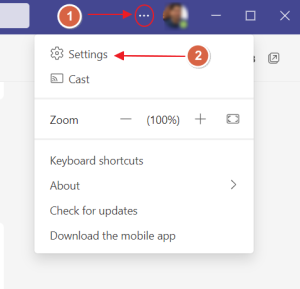
2) Then go to 3 dots right beside your profile picture and select “Setting”.
3) Then click on “Notifications”, change the settings in “Appearance and Sound”, Enable Show messages and incoming calls notifications. 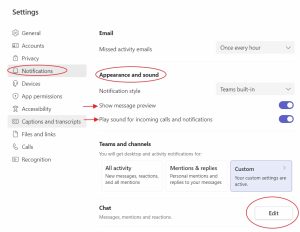
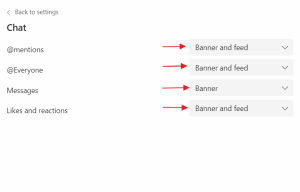
4) You can customize or change the setting in the “Chat” options, by clicking Edit, and selecting “Banner and Feed”.